What changes between low and high fidelity
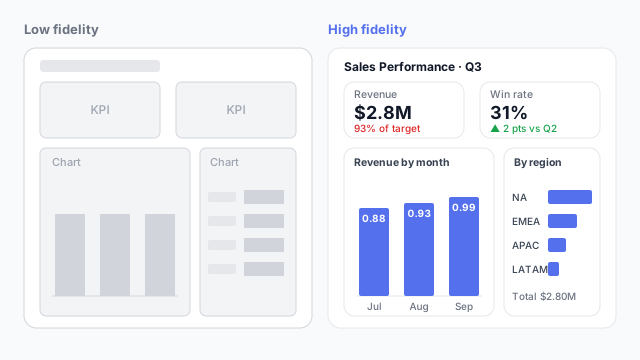
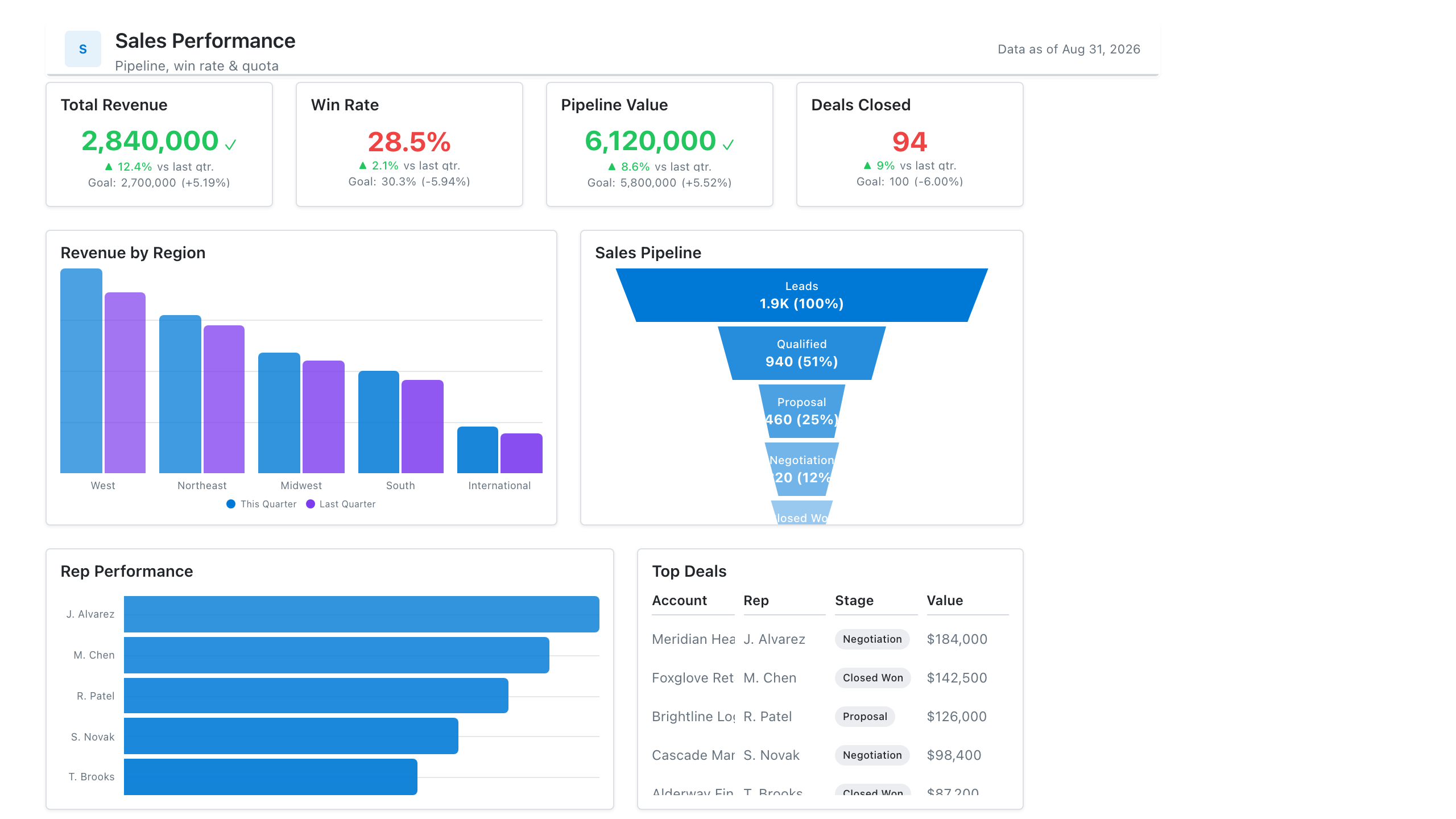
The example shows the same sales page at both ends. Nothing about the layout changes: two KPI cards, a column chart, a bar chart. What changes is how much each box commits to.
| Low fidelity | High fidelity |
|---|
| Visuals | Boxes labelled “KPI”, “Chart” | The specific chart type, with titles and axes |
| Numbers | None, or “XX” | Realistic sample values that add up |
| Colour | Greyscale | Brand or theme colours, status colours |
| Text | Placeholder | Real titles, units and time frames |
| Time to change | Seconds | Minutes |
| Feedback you get | ”Move this up, we don’t need that" | "That should be against budget, not last year” |
Both kinds of feedback matter. The trick is getting them in that order, so nobody polishes a chart that’s about to be deleted.
The fidelity spectrum
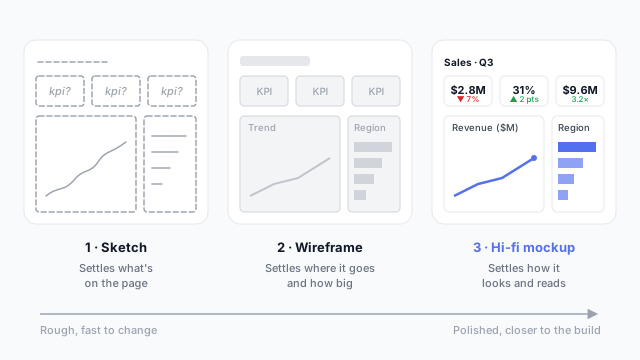
Most dashboard projects move through three levels:
- Sketch. Paper, whiteboard or a few rectangles. Settles what’s on the page.
- Wireframe. Tidy grey boxes on the real canvas size. Settles where it goes and how big. See dashboard wireframe.
- High-fidelity mockup. Real visuals, colours and sample numbers. Settles how it will look and read. See dashboard mockup.
You don’t need all three every time. A quick change to an existing report can start at high fidelity. A new executive dashboard for a client you’ve never worked with benefits from starting rough.
In Mockko
Each visual in Mockko has a Visual Style setting with three options: Minimal Wireframe, Power BI Modern and High Fidelity. Because it’s set per visual on the same canvas, you can move a page from low to high fidelity without redrawing the layout.
Common mistakes
- Going high-fidelity too early. Stakeholders comment on colours and fonts and miss that a key KPI is absent.
- Staying low-fidelity too long. Grey boxes can’t show that a chart type won’t work for the data, or that a label is ambiguous. Sign-off on a wireframe alone often leads to surprises at build time.
- Mixing levels without saying so. If some visuals are final and others are placeholders, mark which is which, or people will treat everything as final.
- Fake precision. High fidelity means believable numbers, not real ones. Totals should still reconcile.
Mocking up at the right fidelity
Pick the fidelity that matches the decision you need from the next meeting: layout first, look second. Our post What Is a Mockup? explains the levels of fidelity in more detail.