How they differ
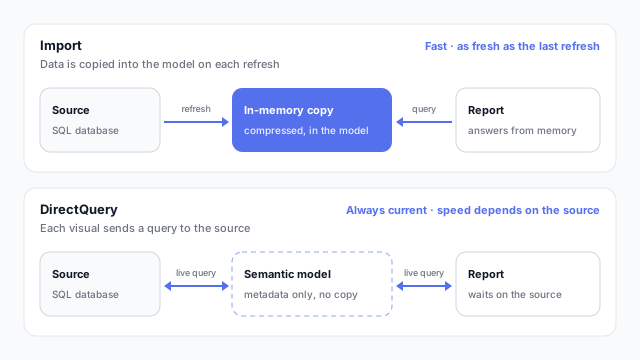
Every table in a semantic model has a storage mode. It decides where the data lives when someone opens a report.
- Import loads a compressed copy of the data into the model. Visuals read from that copy in memory, which makes them fast. The copy is only as fresh as the last refresh, which you run on a schedule in the Power BI service.
- DirectQuery stores no data, only the table definitions. When a reader opens a page or changes a slicer, Power BI sends queries to the source database and draws the visuals from the results. The numbers are current, but every interaction waits on the source.
| Import | DirectQuery |
|---|
| Where data lives | In the semantic model | In the source database |
| Freshness | As of the last refresh | Current at query time |
| Visual speed | Fast, from memory | Depends on the source |
| Power Query and DAX | Full support | Some transformations and functions are limited |
| Load on the source | Only during refresh | Every time a visual loads |
Tableau makes the same trade-off with extracts and live connections.
Mixing them: composite models
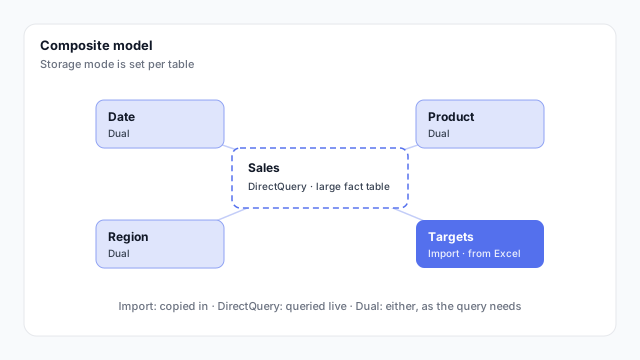
You don’t have to pick one mode for the whole model. In a composite model, each table gets its own mode. A common pattern:
- The large fact table in DirectQuery, so it doesn’t have to be copied and stays current.
- Dimension tables in Dual, so Power BI can read them from memory for slicers and labels, or query them live alongside the fact table.
- Small extra tables in Import, such as a targets sheet from Excel that isn’t in the database at all.
In Microsoft Fabric there’s also Direct Lake mode, which reads Delta tables in OneLake directly instead of importing or querying a database.
Choosing one
- Default to Import. It’s faster, supports every feature, and most reports are fine with data that refreshes daily or a few times a day.
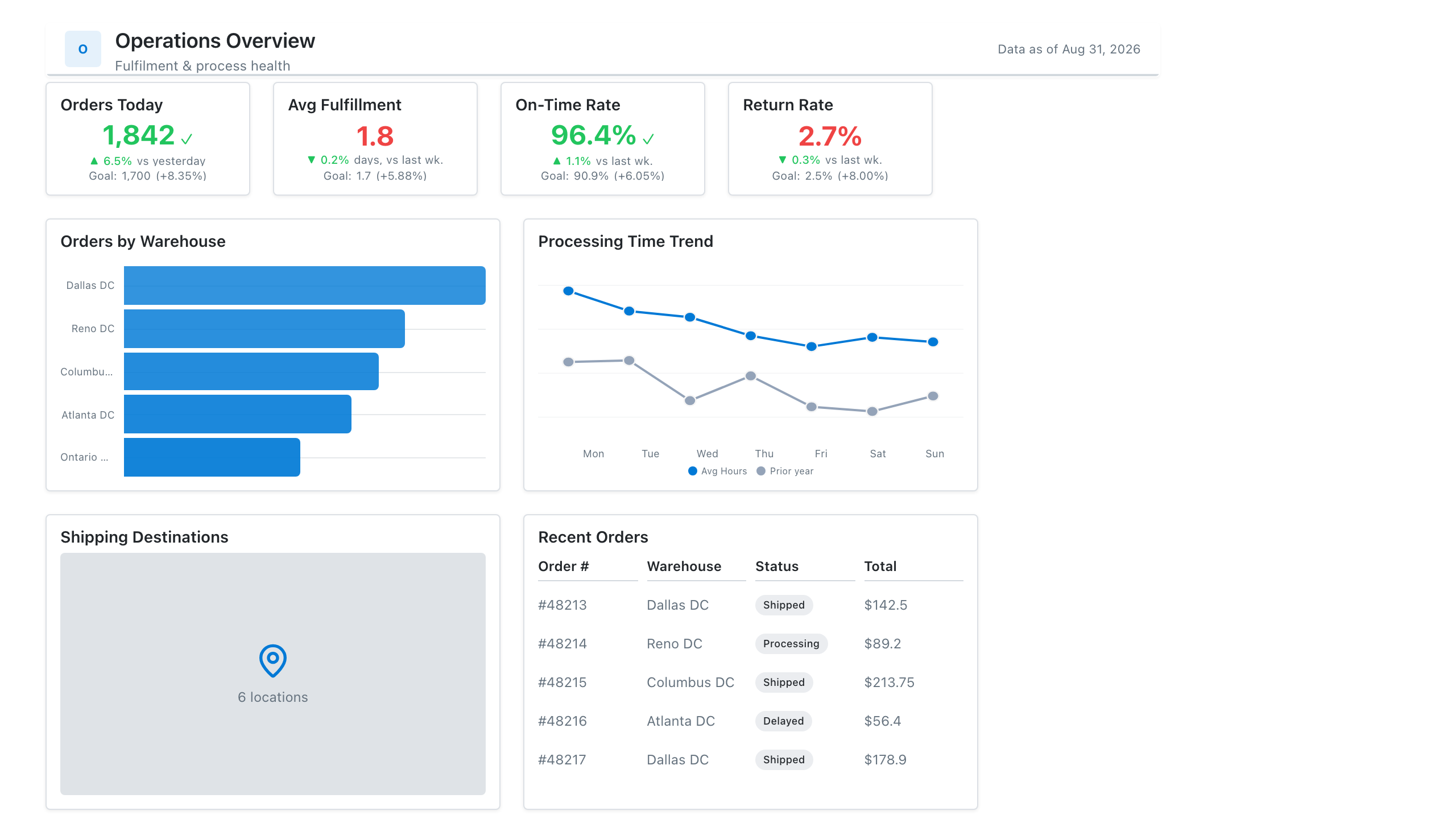
- Use DirectQuery when freshness is the requirement, such as an operations screen that has to reflect the last few minutes.
- Check the source can take it. DirectQuery turns every reader’s click into database queries. Talk to whoever runs the database first.
- Keep DirectQuery pages lean. Fewer visuals per page means fewer queries per click.
Mocking up for Import or DirectQuery
How fresh each number must be is a requirement you can capture on the mockup: label the visuals that need live data, and the storage mode decision usually follows. See why to mock up Power BI reports before you build.